The AI-native restaurant POS.
Carima POS runs your floor, orders, checks and payments from one calm screen, with AI agents built in: they take orders by voice and chat, manage your menu and stock, and tell you what your numbers mean.
AI built in, not bolted on
Agents that take orders, run reports and manage the menu work inside the register, on your live data.
Your processor, your rates
Carima POS is designed around your own merchant account. We do not hold your funds and we do not mark up your processing.
Keeps working offline
The register app keeps taking orders and printing tickets when the internet drops, then syncs on its own.
One app, every screen
The same screens on a tablet at the register, a phone on the floor and the laptop in the office.
A POS with an AI team built in.
Other systems record what happened. Carima POS works alongside you: it takes the order, watches the stock, reads the numbers and tells you what to do next.

Create your own agents on the POS
Describe the job in plain words and put an agent to work on your restaurant's live data. It knows your menu, your tables, your stock and your sales, because it lives inside the register.
- A host agent that takes reservations and manages the waitlist
- A purchasing agent that drafts tomorrow's order from today's sales
- A manager agent that sends you the day's summary at closing
Order taking with AI
Say or type the order the way a guest says it. The AI builds the ticket with the right sizes, extras and notes, and your server confirms it.
Voice and chat orders and reservations
AI answers the phone, WhatsApp and web chat, takes the order or the booking, and drops it straight into the POS and the kitchen.
Smart reports
Ask a question in plain language, such as which dishes sold best on rainy Fridays, and get the answer instead of a spreadsheet.
Menu and prices, managed with AI
Add items from a photo of your menu, change prices across categories with one sentence, and see the margin impact before you publish.
Stock managed with AI
Stock moves with every sale. The AI warns you before an item runs out, marks it unavailable on every screen, and suggests what to reorder.
Insights for the owner
A daily brief on what changed and why: slow tables, rising voids, a dish losing margin. Written for an owner, not an analyst.
You stay in control. Agents propose, you approve: price changes, refunds and anything that touches money wait for a person.
A whole service in four screens
These are screenshots of the product as it runs today, loaded with a demo restaurant's menu.
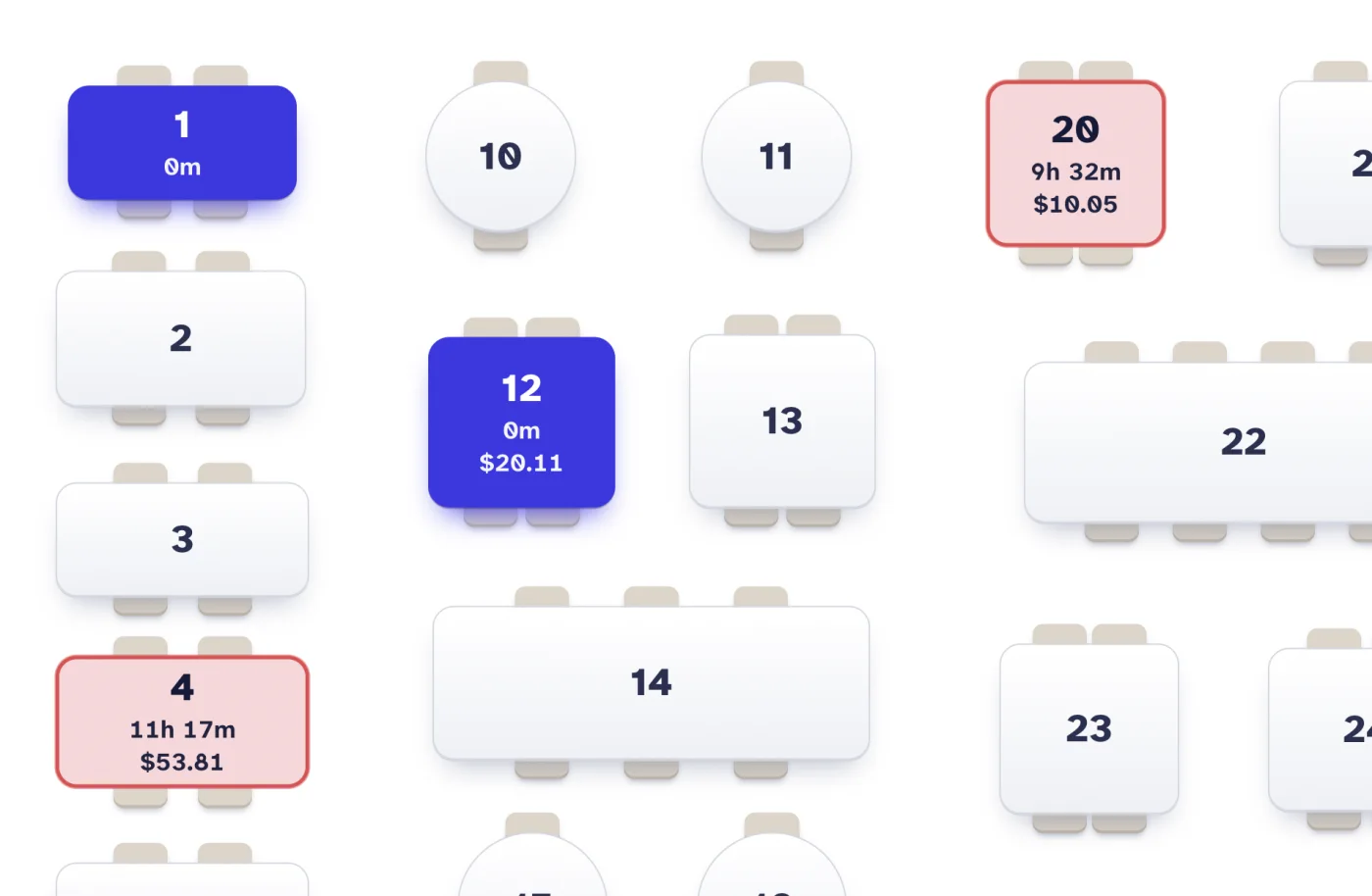
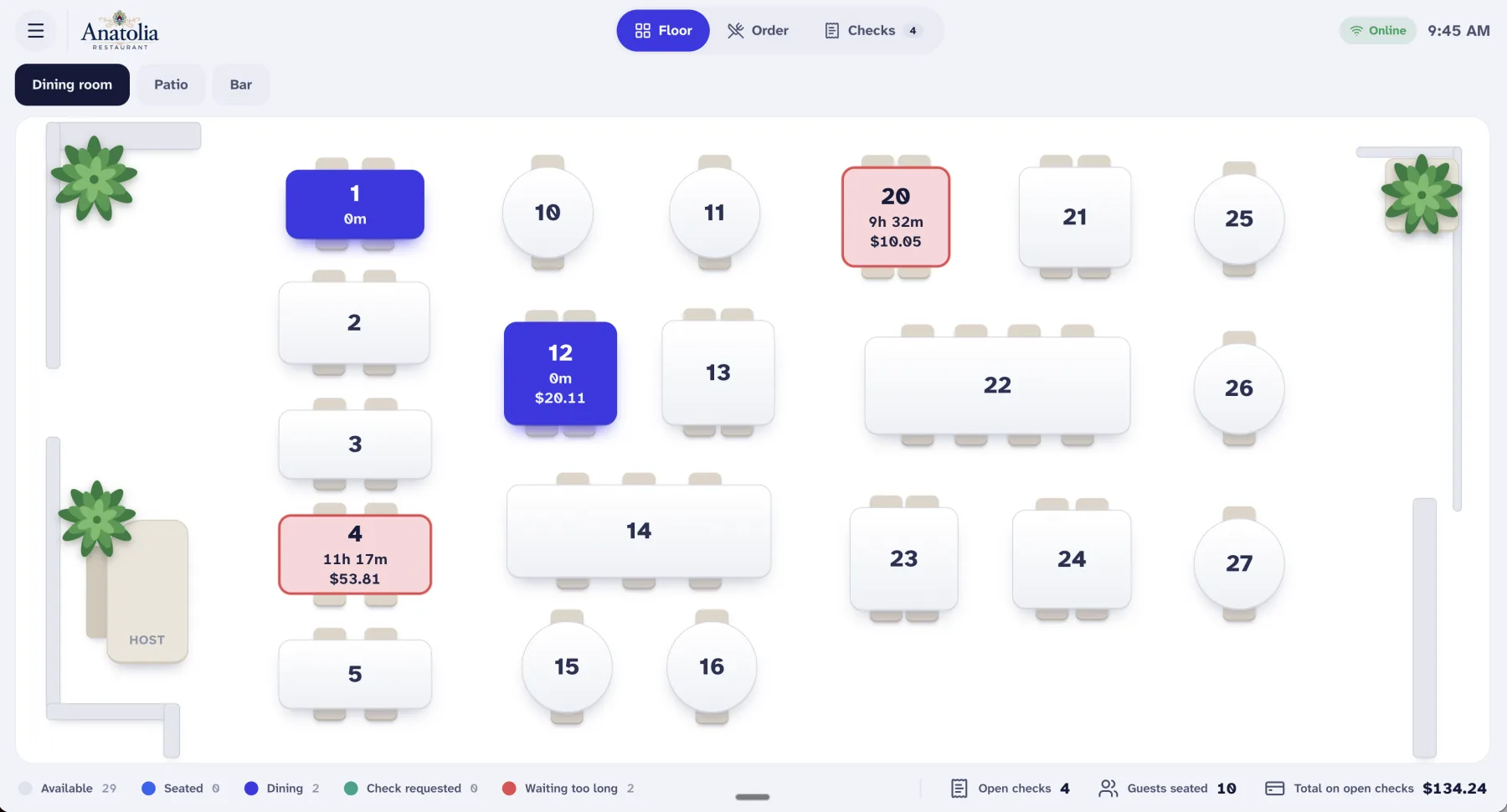
See the room at a glance
Rooms, tables and their state on one screen. Colour tells you who is seated, who is eating and who has waited too long.
- Separate rooms such as dining room, patio and bar
- Time seated and the open total on every table
- Move a party, merge tables or hand a table to another server
- Open checks, guests seated and the total outstanding along the bottom
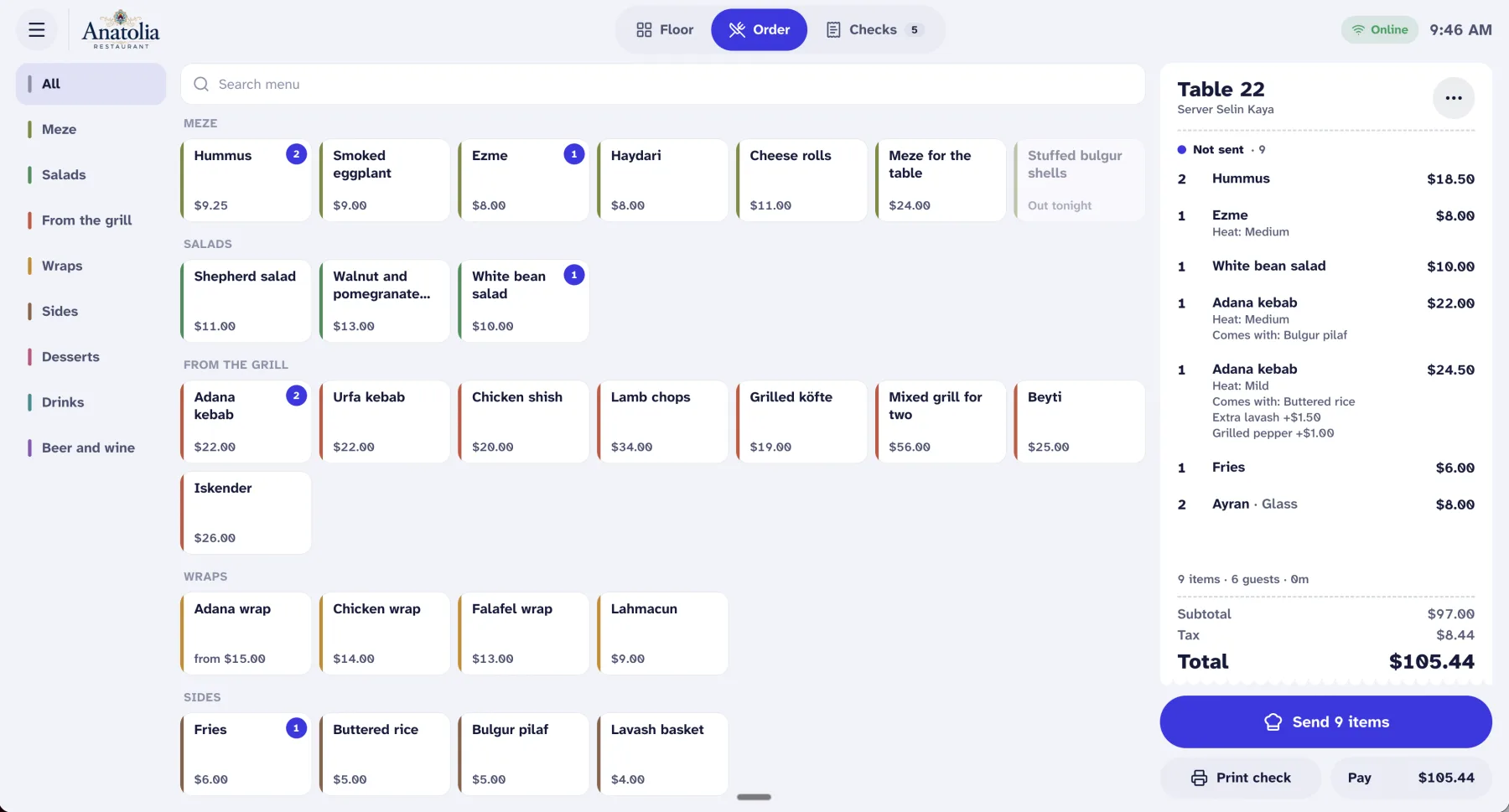
Ring it in without hunting
Categories down the side, the menu in the middle, the check on the right. Sizes and extras open in one sheet, and the kitchen only sees what you have sent.
- Sizes, required choices and paid extras
- Mark an item as out and staff see it on the menu straight away
- Search the whole menu from one field
- Unsent items stay apart until you send them
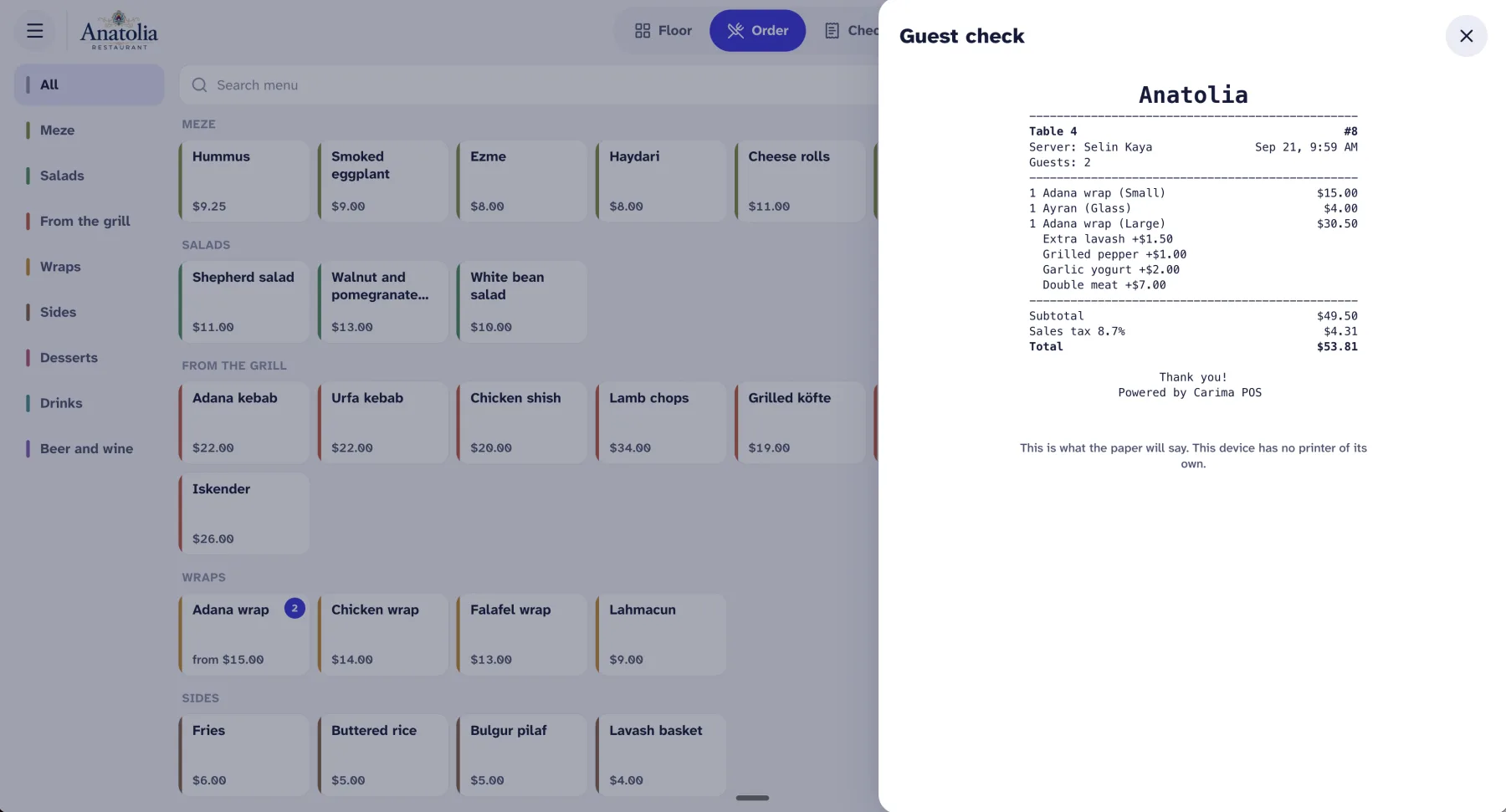
What the guest reads is what you see
The guest check on screen matches the paper line for line. Split it, discount it or comp it, with a reason and with a manager's approval where you require one.
- Split evenly, by seat or by item
- Discounts, comps and voids with a recorded reason
- Automatic service charge by party size
- Tax rates set per item
Cash handled properly
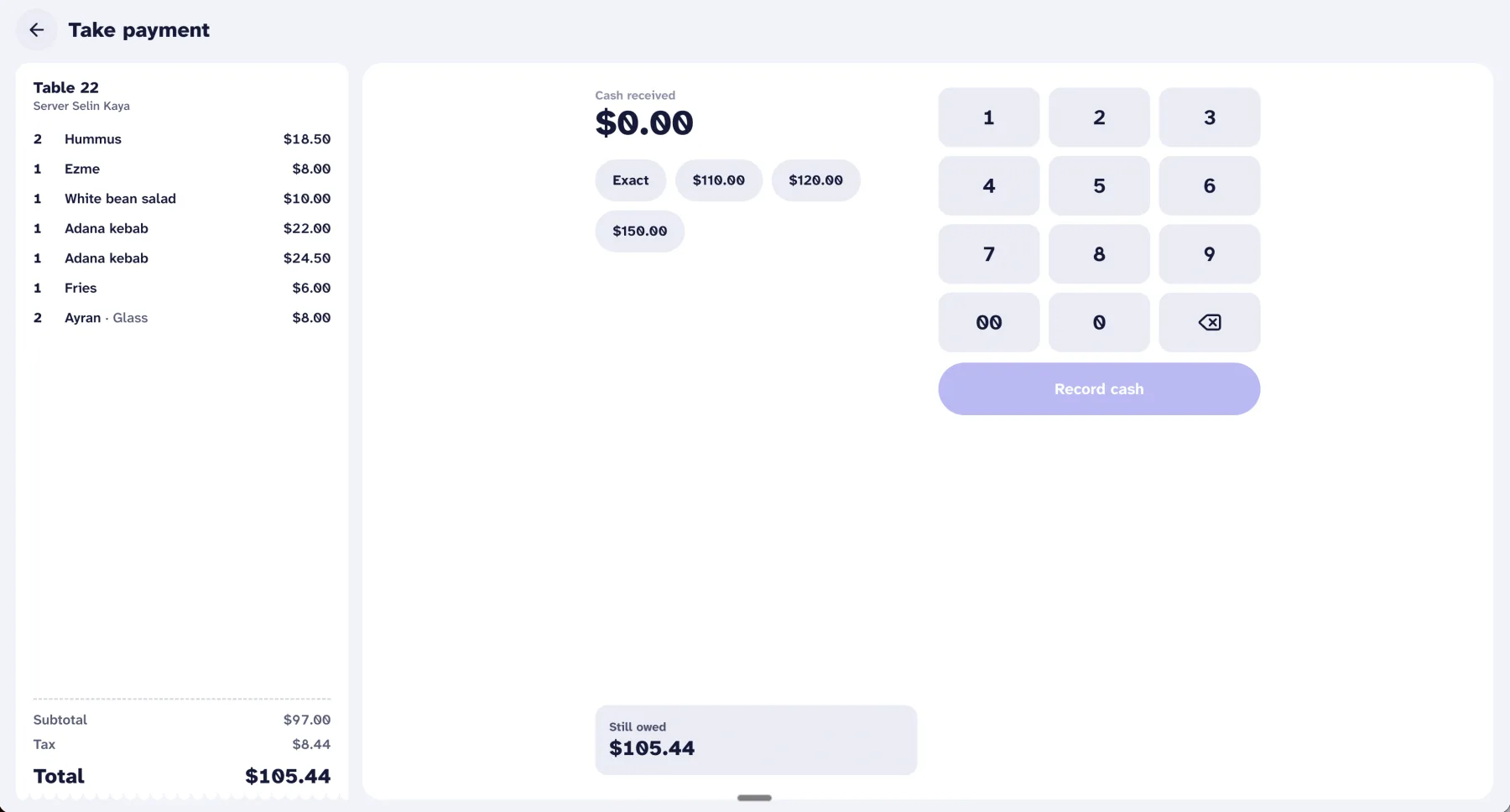
Quick amounts, exact change and a running balance when a table pays in parts. The drawer is counted in, counted out and reported.
- Opening count, pay-ins, pay-outs, drops and no-sale, all logged
- Blind close, so the count is not steered by the expected total
- X and Z reports for every shift
Your merchant account, not ours
Most restaurant systems make you use their processing. Carima POS works the other way round.
You hold the account
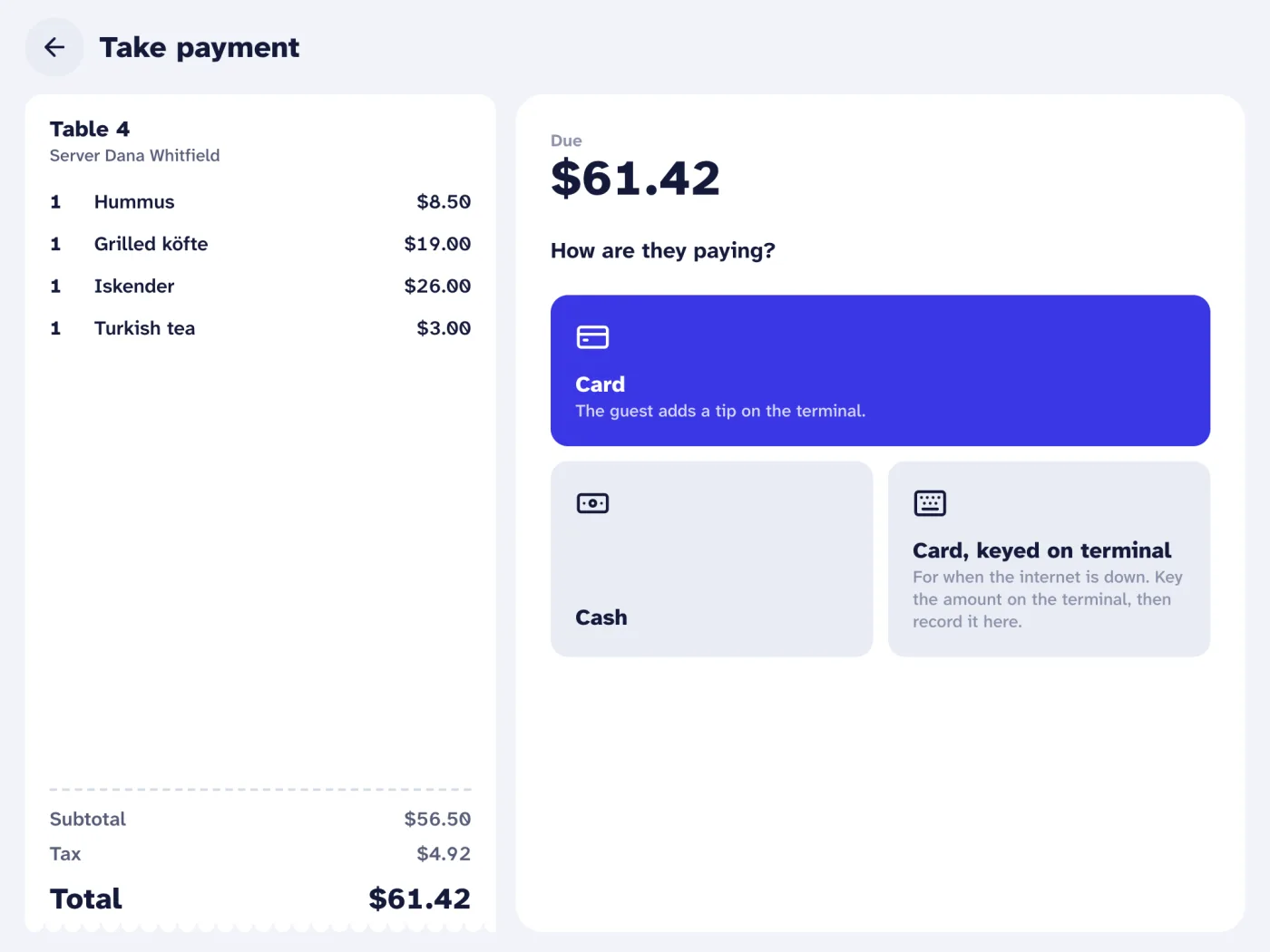
Carima POS is not tied to one processor. Tell us which processor and terminal you use, and we connect it to your register.
No markup from us
Your processor sets your rates and pays you directly. Carima never receives, holds or settles your funds.
Card data never reaches the POS
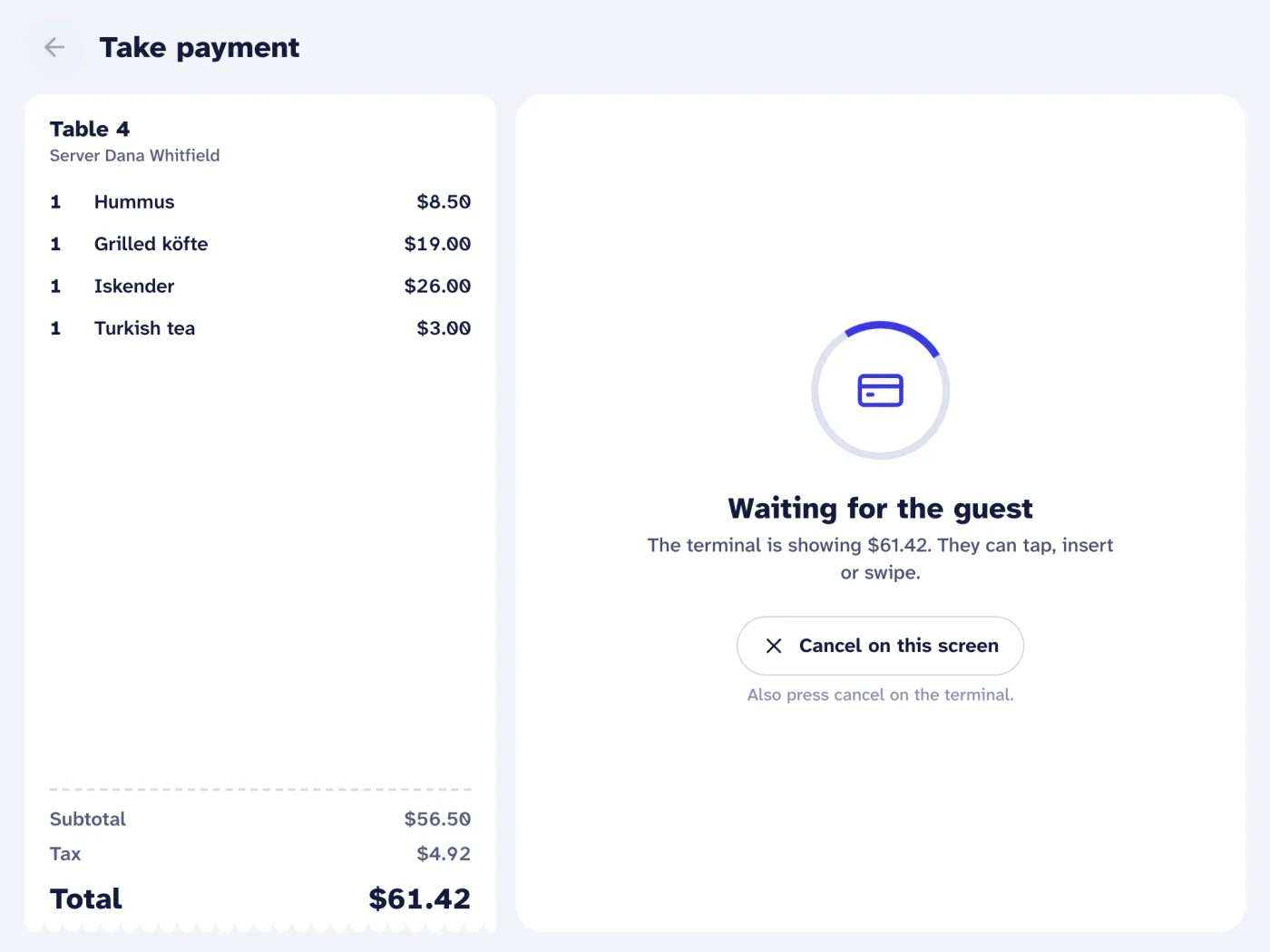
The card is read by the processor's own terminal. Carima POS sends the amount and receives the result: approved or declined, the card brand and the last four digits.
A terminal the guest already trusts
Tap, insert or swipe on a countertop terminal. The register shows what the terminal is doing, so staff are never guessing.
Straight answers
Bring Carima POS to your restaurant
Tell us where to reach you and we will set up a walkthrough with your own menu.